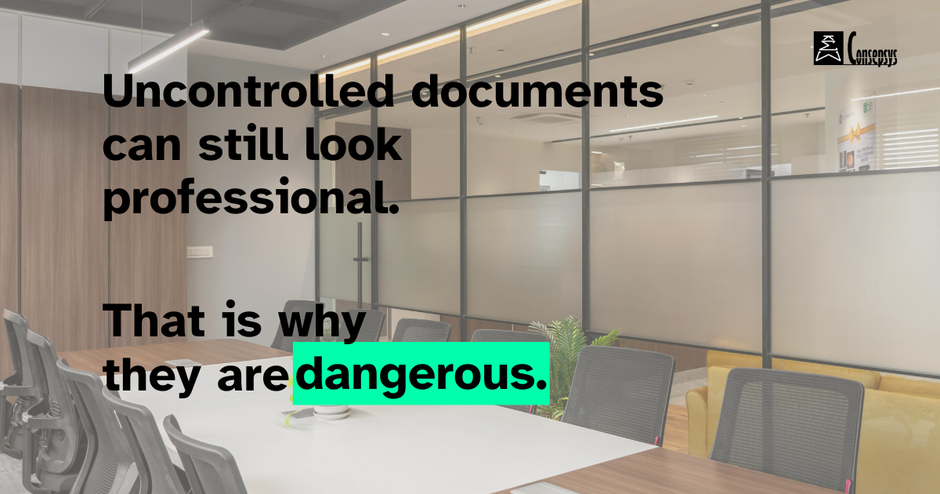
If you work in Document Control, you will hear the phrase “uncontrolled copy” or “working copy” all the time. It can sound harmless, but the underlying risk is serious: uncontrolled documents are one of the fastest ways to create rework, errors, and audit pain.
This article explains the difference clearly, the real-world risks, and simple ways to prevent uncontrolled documents from spreading.
What is a controlled document?
A controlled document is a document that is managed through an agreed process so that:
- the latest approved revision is identifiable
- changes are authorised and traceable
- access and distribution are managed
- users can rely on it as an official reference
Controlled documents must be properly managed, and this is largely what Document Controllers do.
What is an uncontrolled document?
An uncontrolled document is a document that is not managed through the control process. That does not necessarily mean it is “wrong”, but it does mean it cannot be trusted as the current approved reference.
Common examples:
- a PDF emailed to someone “for convenience”
- a printout used on site
- a file downloaded from the system and saved locally
- a screenshot pasted into a slide deck
- a document copied into a shared folder without version context
- a document that has been modified from the latest approved revision that is currently the source of truth
This is why many organisations stamp files “Uncontrolled when printed” or “Uncontrolled copy”.
The real risks of uncontrolled documents
Uncontrolled copies cause problems because they break the link between the user and the approved source.
Here are the most common failure modes.
1) People use the wrong revision
The job gets done based on an outdated drawing, instruction, or requirement. That creates rework at best and, at worst, safety, quality or legal incidents.
2) Changes become untraceable
Someone edits a local copy, and the change never goes through review and approval. You end up with a “shadow document” and arguments about what is correct.
3) You cannot prove compliance
In audits, disputes, or claims, you need evidence: who approved what, when, and what was distributed. Uncontrolled documents weaken that evidence chain.
4) You create multiple sources of truth
Once multiple versions circulate, teams stop trusting the system. People start asking colleagues for “the latest copy” instead of using the official source.
Why uncontrolled copies appear (even in good organisations)
Uncontrolled documents usually appear for practical reasons:
- work is urgent and people prioritise speed
- access to the system is limited (site conditions, bandwidth, permissions)
- the process feels slow or unclear
- people are unsure where the “single source of truth” is
In such cases as those above, the solution is rarely “tell people off”. The solution is to combine clear rules with workable distribution methods.
How to prevent uncontrolled documents: practical controls that work
You do not need a complicated system. You need a few controls that are consistently applied.
1) Define the single source of truth
Make it explicit: where must people go to get the current approved document? EDMS, CDE, SharePoint with strict rules, etc. Then reinforce it everywhere.
2) Use controlled distribution, not informal sharing
Instead of emailing attachments, share links to the controlled source whenever possible. If attachments are unavoidable, include the revision and status clearly.
3) Make revision status obvious
At minimum, ensure every controlled document displays:
- document number
- revision
- status / stage / suitability for use
- date
- signatures of author, checker, approver
This makes it harder for uncontrolled copies to masquerade as current.
4) Control printing and offline use
If printing is common (site work), use one of these approaches:
- “uncontrolled when printed” stamp plus a rule: verify revision before use
- controlled print locations or controlled print registers for critical documents
- offline packs with expiry dates and a defined refresh cycle
5) Train people on the “why”, not just the rule
Most teams comply better when the message is simple:
Uncontrolled documents create rework and risk. Always work from the approved source.
6) Be consistent, so users are not “lost in translation”
Consistency is a control in itself. Use the same terminology, the same document lifecycle stages, and the same visual cues across all projects and teams (for example: consistent status labels, consistent watermark wording, consistent naming conventions, and consistent distribution rules).
When each team invents its own terms, users become “lost in translation” and uncontrolled copies spread because people stop being sure what is official.
A simple decision rule to share internally
If you want a practical rule that people remember:
- If you are executing work, use the controlled source.
- If you are sharing for awareness, label it clearly as "uncontrolled" and point to the controlled source.
If you would like a practical way to embed these principles into day-to-day habits, our Document Control courses cover exactly this: how to define a single source of truth, apply revision and distribution rules consistently, and keep traceability intact even under time pressure. Many learners find that once they understand the “why” and have a simple, repeatable method, uncontrolled copies stop being a recurring problem and become an exception that is quickly corrected.
Final takeaway
Controlled documents protect the organisation because they protect the truth: the correct version, the approval trail, and the evidence of compliance. Uncontrolled copies break that chain.
If you reduce uncontrolled documents, you usually reduce rework, confusion, safety risks and audit findings at the same time.
Related articles: